YouTube to MP4 Converter – Save YouTube Videos in HD
Paste a YouTube link below, choose an MP4 quality from the menu, anywhere from 360p up to 4K and 8K, then press Download. A card shows the video and its progress, and when it’s ready you save a single MP4 file with picture and sound together. It’s free and works in any browser on Windows, Mac, Android and iPhone.
- Free, no sign-up
- Works on phone and desktop
- Nothing to install
Features of the YouTube to MP4 Downloader
Picture and Sound Together
You get one MP4 file with video and audio already combined, so there is nothing to merge yourself.
From 360p Up to 8K
Pick 360p, 480p, 720p, 1080p, 1440p, 4K or 8K to balance sharpness against file size.
Plays Offline Anywhere
MP4 opens on phones, smart TVs, consoles, laptops and in every video editor.
No Watermark
The tool adds no logo, intro or outro. The video looks just as it does on YouTube.
How to Download YouTube Videos as MP4
The only choice you need to make is the resolution.
Copy the Video URL
Copy the link from the address bar or the Share button. Shorts and youtu.be links work as well.
Paste It and Pick a Quality
MP4 (720p) is selected by default and suits phones. Open the format menu for 1080p on TVs, 4K for large screens, or a smaller size to save space.
Press Download
A card appears with the thumbnail, and its button fills as the video is prepared. Higher resolutions take longer.
Save the MP4
When the button reads Download, click it to save the file.
Choosing the Right Resolution
Sizes below are rough guides. Fast-moving footage such as sport or gaming produces larger files than a talking-head video at the same resolution.
1080p (Full HD)
Best for TVs, monitors and editing. Expect very roughly 20 to 40 MB per minute.
720p (HD)
Looks sharp on phones, tablets and laptops at about half the size of 1080p. A good default for most people.
480p
A sensible choice for older phones, slow connections or long lectures where detail matters less than storage.
360p
The smallest option, fine for audio-focused videos and small screens when space or data is tight.
1440p, 4K and 8K
Available when the original upload was published at that resolution. These files are very large, so save them for big screens and editing.

Watching Downloaded Videos on Your TV
Most smart TVs and many streaming boxes have a built-in media player that reads MP4 straight from a USB stick. Copy the file across, plug it in and open the TV’s USB or Media app.
If a large 1080p file won’t copy, check the stick’s format: FAT32 can’t hold files over 4 GB, while exFAT can and is supported by most recent TVs. Older sets sometimes cope better with 720p, so that’s worth trying if playback stutters.
Why Your Video Might Be Lower Than 1080p
This YouTube to MP4 converter can only deliver resolutions that exist on YouTube. Older videos, screen recordings and many phone uploads were never published in Full HD, and no tool can add detail that was never there.
Brand-new uploads are another common cause. YouTube processes low resolutions first and adds HD versions later, so if a video went live in the last hour, try again a little later.

Playing Clips in Class or Presentations
Relying on venue Wi-Fi during a lesson or a talk is a gamble. A local MP4 plays instantly and never buffers. In PowerPoint use Insert, Video, This Device, and in Keynote drag the file onto a slide, so the clip travels with your presentation.
Many teachers convert their own lesson recordings or Creative Commons material this way. For other people’s videos, check the licence or ask the creator before showing it publicly.
Saving the Video to Your Phone Gallery
On iPhone, convert in Safari. The MP4 is saved to the Files app; open it, tap the Share button and choose Save Video to move it into Photos. On Android, the file lands in Downloads and usually appears in your gallery app automatically.
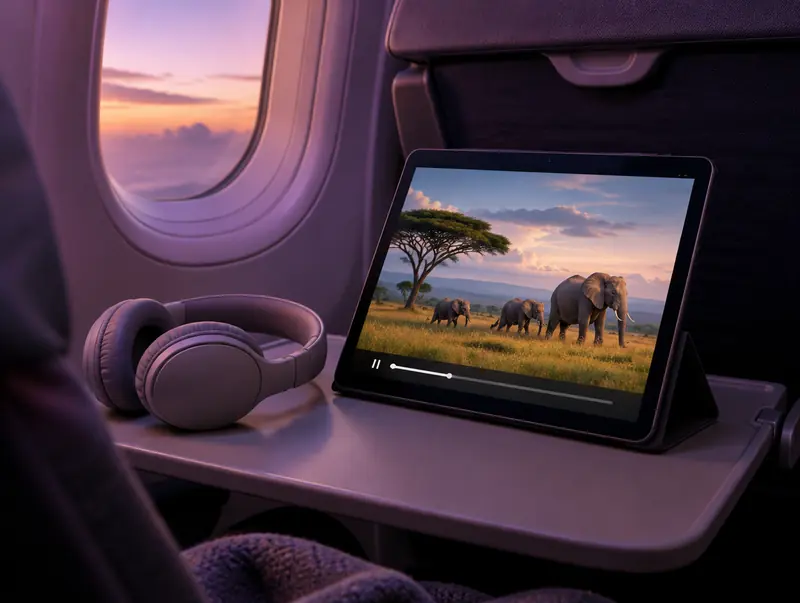
Offline Viewing for Flights and Long Trips
In-flight Wi-Fi is slow, expensive or missing altogether, and streaming apps don’t always let you keep downloads in every country. A folder of MP4 files on a tablet or laptop just works, with no app, account or signal required.
For a tablet or phone, 720p is the sweet spot: it looks sharp and leaves room for plenty of episodes. Save 1080p for the laptop if you’ll watch on a bigger screen, and keep a charger handy, since video playback is one of the biggest drains on a battery.
How Much Storage Do MP4 Downloads Need?
File size depends on resolution, length and how much the picture moves, so fast sport or gaming footage runs larger than a talking head. These rough figures help you plan before a trip or a long download; a two-hour video in 1080p can pass 3 GB.
If space is tight, drop to 480p for lectures, video podcasts and anything where you mostly need the sound. On a phone, clear old files from the Files app or Downloads folder now and then, since downloads don’t disappear on their own.
| Resolution | Rough size per minute | 10-minute video | Best for |
|---|---|---|---|
| 360p | 4 to 5 MB | 40 to 50 MB | Small screens, slow data |
| 480p | 6 to 8 MB | 60 to 80 MB | Lectures and talks |
| 720p | 11 to 19 MB | 110 to 190 MB | Phones, tablets, laptops |
| 1080p | 22 to 37 MB | 220 to 370 MB | TVs, monitors, editing |
| 4K | 100 to 190 MB | 1 to 1.9 GB | Large TVs, editing |
Editing a Downloaded MP4
MP4 files drop straight into CapCut, DaVinci Resolve, Premiere Pro, iMovie and Final Cut Pro. If you plan to crop, zoom or stabilise, download at 1080p so you have extra pixels to work with, and match your project’s frame rate to the clip. Most YouTube videos run at 24, 25, 30 or 60 frames per second.
Only edit footage you have the right to use, such as your own uploads, Creative Commons videos that allow changes, or clips you’ve licensed. When you publish, credit the original creator if the licence asks for it.
If the Progress Bar Stalls
Video takes longer than audio because the converter has to fetch the picture and the sound, then combine them into one MP4. A short clip is often ready in under a minute, while a long 1080p video can take several minutes. If the bar hasn’t moved for a while, refresh the page, paste the link again and try a lower resolution, which needs less processing.
Some videos can’t be converted at all: private and members-only uploads, age-restricted videos, streams that are still live and videos blocked in certain countries. If YouTube asks you to sign in before playing it, the converter can’t fetch it either.
Need Only the Audio?
If you don’t need the picture, an audio format saves a lot of space. Extracting MP3 audio suits everyday listening, M4A is ideal for Apple devices, and the WAV converter gives you uncompressed audio for editing.
Respect creators: Only convert videos you own, have permission to use, or that are licensed for reuse, such as Creative Commons. Don’t redistribute or publish copyrighted content without the rights holder’s permission.
YouTube to MP4 FAQ
Can I download YouTube videos in 4K?
Yes, when the video was uploaded in 4K. Choose MP4 (4K) from the format menu; 1440p and 8K are listed too. These files are large, often 100 MB or more per minute, so check your storage first.
Why isn’t my video as sharp as the resolution I chose?
The original upload probably has a lower resolution. The converter cannot upscale video, so a video published in 480p stays 480p whatever option you pick.
Will the MP4 play in VLC, QuickTime and Windows Media Player?
Yes. MP4 is the most widely supported video format, and all three players open it without extra codecs, as do the Photos and Films apps on Windows.
How long a video can I convert?
There is no fixed length limit, but longer and higher-resolution videos take more time to prepare. If a long video does not finish, try again with a lower resolution, which needs far less processing.
Do Shorts download in vertical format?
Yes. A YouTube Short keeps its original vertical frame in the MP4, so it looks right when you play it back on a phone.
Is it allowed to download YouTube videos as MP4?
YouTube’s terms only permit downloads where YouTube offers a download option, and copyright still applies. Stick to your own videos, public-domain or Creative Commons footage, or content you have permission to use.
Where is the downloaded MP4 saved on my computer?
Your browser saves it to its default download location, usually the Downloads folder on Windows and Mac. Press Ctrl+J in Chrome or Edge, or Option+Command+L in Safari, to open the downloads list.
Can I edit the MP4 in CapCut or Premiere Pro?
Yes. MP4 imports directly into CapCut, Premiere Pro, DaVinci Resolve, iMovie and Final Cut Pro. Choose 1080p if you plan to crop or zoom, since there is more detail to work with.
Why does the MP4 play in a new tab instead of downloading?
Some browsers play video files rather than saving them. If the MP4 starts playing in a new tab, open the player’s three-dot menu or right-click the video and choose Download or Save video as.
Do mobile and youtu.be links work for MP4?
Yes. Links copied from the YouTube app (youtu.be), the mobile site (m.youtube.com), Shorts, embeds and finished live streams all work. A timestamp in the link is ignored and the full video is downloaded.